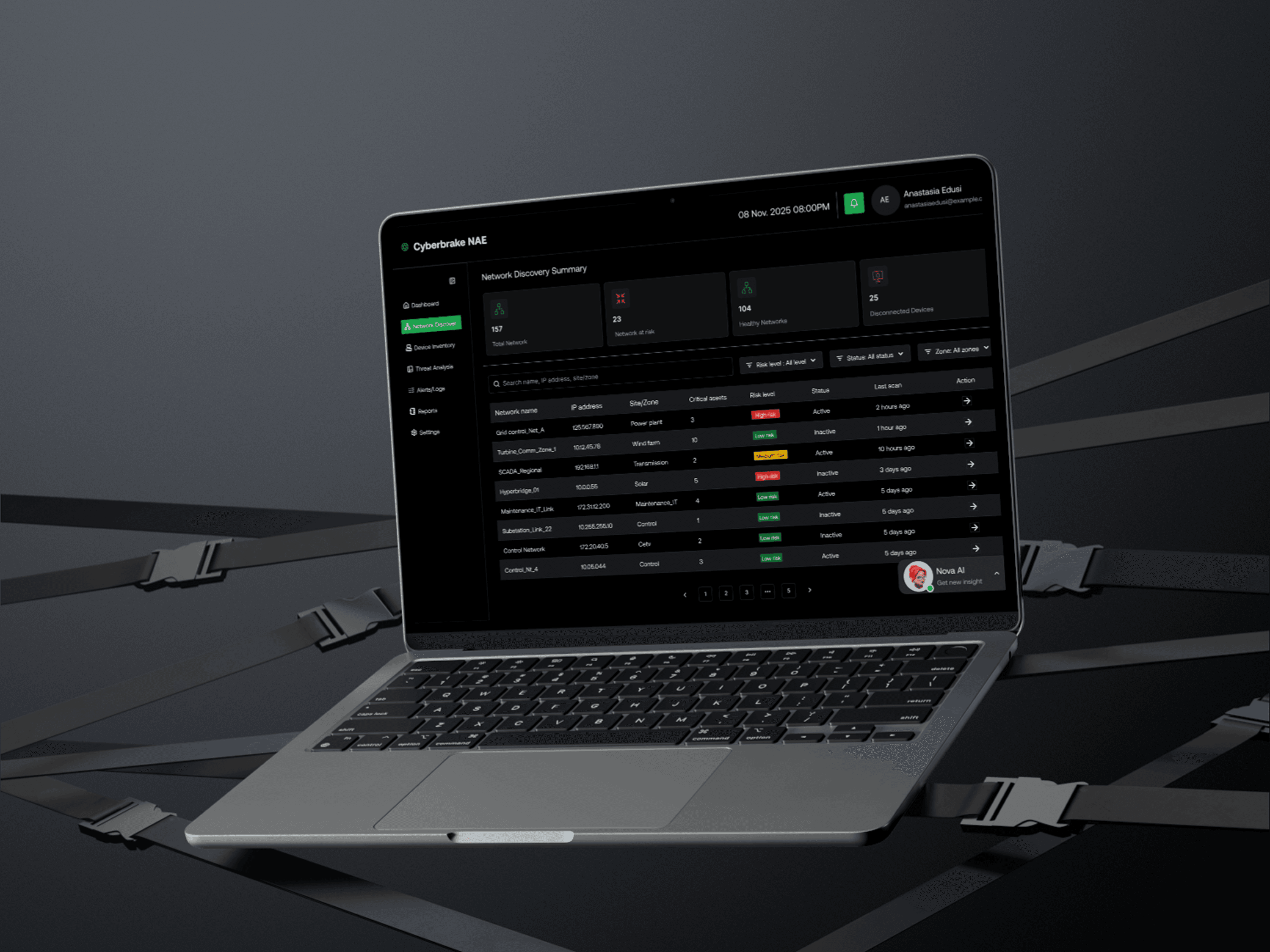
Case Study: Improving the Network Analysis Explorer (NAE) for Cyberbrake OT Security Platform
Overview
Cyberbrake is an OT security platform designed to protect critical infrastructure using a digital network replica and an AI reasoning engine called NOVA (Neural Opponent Virtual Agent). One of its key tools, the Network Analysis Explorer (NAE), helps users visualize network architecture, understand traffic flows, and identify security optimization opportunities.
However, the original version of NAE was built by developers and was difficult for users—especially interns or new analysts to navigate. This redesign introduces a smoother, guided flow that eliminates complexity and supports users who may not understand network topology.
Problem
The existing NAE requires users to input an IP address or network name upfront.
For many users—especially those not deeply technical—this is a blocker:
They don’t know what network to enter
They lack context about network structures
The interface provides no guidance or exploration path
Error rates were high because users made random guesses
This resulted in frustration, slower onboarding, and reduced confidence in the tool.
Goal
Design a new, intuitive user flow that helps users:
Easily explore and identify the correct network
Understand network context before committing to an assessment
Improve visual clarity and usability
Reduce errors and onboarding time
Design Approach
1. Remove the upfront IP requirement
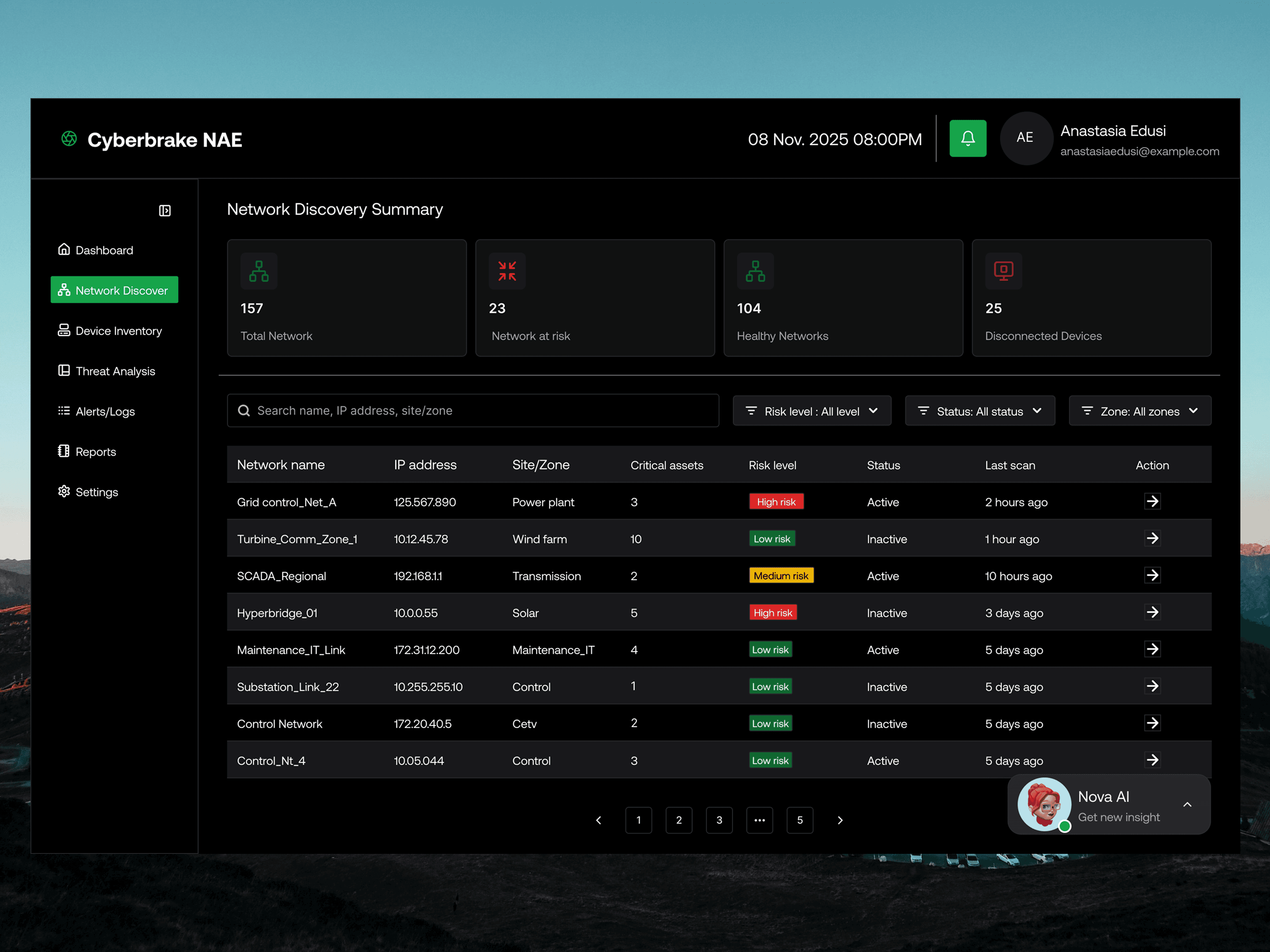
Instead of forcing users to type an IP address, the first screen now introduces:
A search bar for users who already know what they're looking for
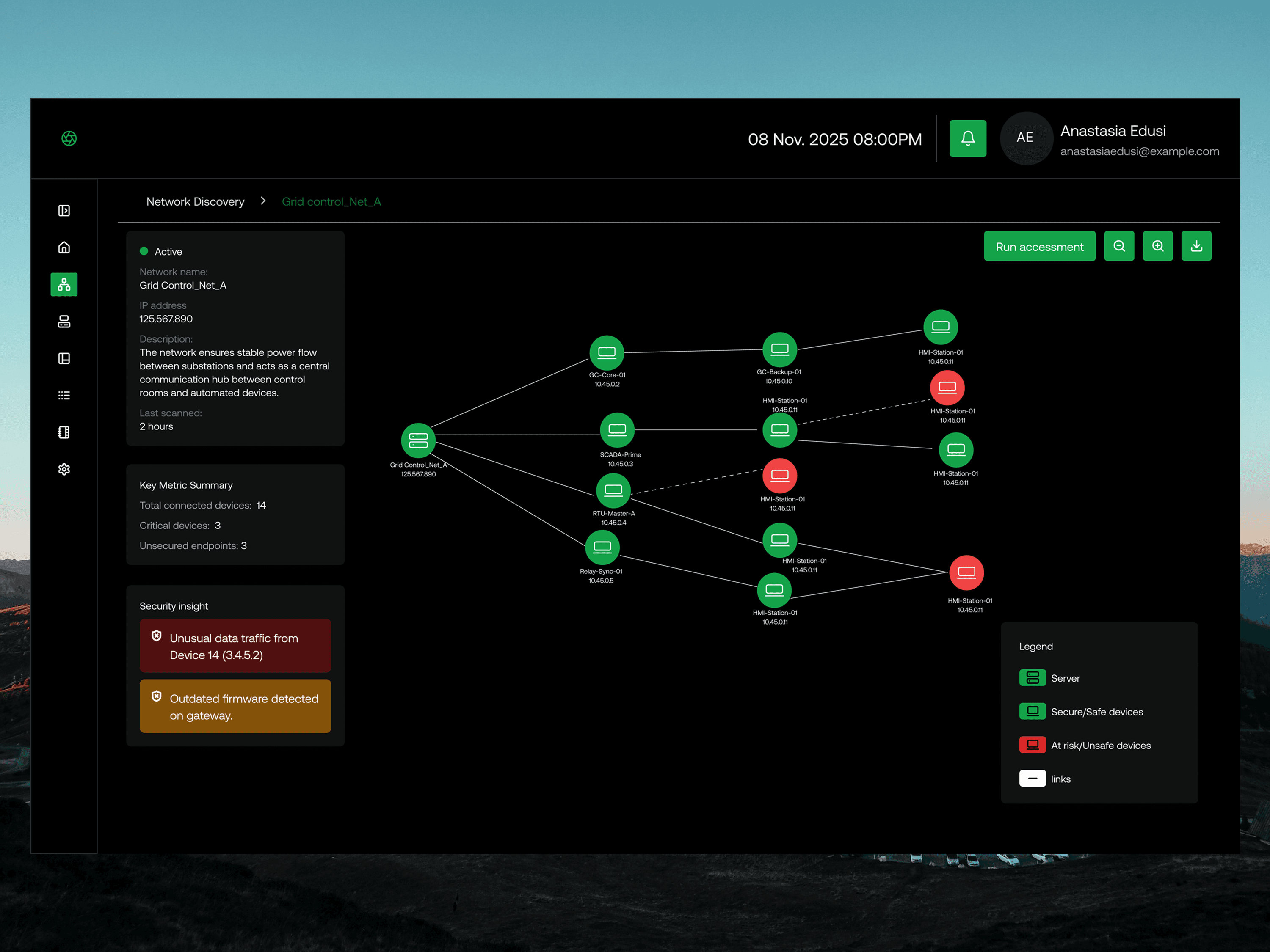
A visual network illustration to give context
A simple, scrollable list of networks (e.g., Control network, Office Network, Remote Sites)
Add visual hierarchy and clarity
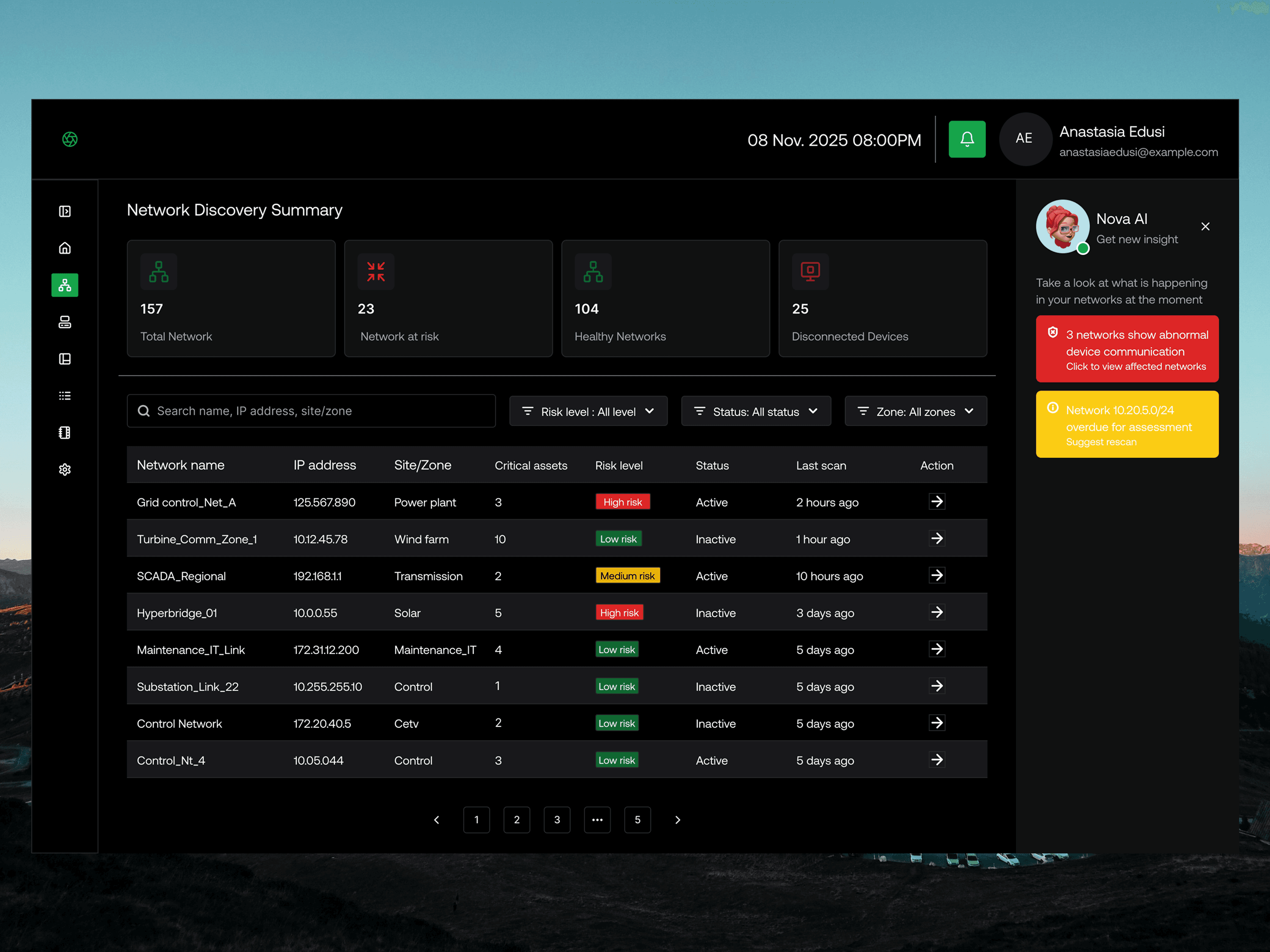
The new interface focuses on:
A dark, modern, minimal UI aligned with Cyberbrake’s security aesthetic
Clear typographic hierarchy to guide the eye
A central visual representing network topology to introduce the concept visually